" height="48px" id="czyptE1Es" width="48px"/><path d="M 21.574 0 C 22.068 0 22.487 0.146 22.818 0.446 C 23.188 0.756 23.36 1.226 23.36 1.825 C 23.36 2.428 23.159 3.118 22.772 3.891 C 22.323 4.804 21.76 5.655 21.095 6.424 C 21.308 6.904 21.582 7.53 21.915 8.299 L 22.182 8.91 C 22.449 9.535 22.716 10.206 22.982 10.922 C 23.365 11.853 23.681 12.797 23.927 13.756 L 24.014 14.104 C 24.205 14.908 24.3 15.663 24.3 16.367 C 24.3 18.242 23.886 19.954 23.056 21.503 L 23.055 21.503 C 22.255 23.019 21.165 24.328 19.787 25.43 L 19.786 25.432 C 18.409 26.504 16.853 27.329 15.121 27.906 C 13.434 28.48 11.663 28.773 9.881 28.772 C 9.045 28.772 8.221 28.701 7.408 28.562 C 7.579 29.529 7.898 30.26 8.356 30.767 C 8.891 31.355 9.4 31.715 9.882 31.868 C 10.094 31.925 10.269 32 10.394 32.1 C 10.523 32.204 10.604 32.339 10.604 32.503 C 10.606 32.591 10.582 32.679 10.534 32.753 C 10.483 32.826 10.408 32.879 10.322 32.902 C 10.163 32.949 9.953 32.921 9.716 32.852 L 9.712 32.85 C 8.519 32.462 7.629 31.875 7.061 31.079 C 6.513 30.312 6.182 29.352 6.062 28.206 C 4.645 27.794 3.483 27.181 2.584 26.364 L 2.582 26.362 C 1.667 25.504 1 24.532 0.582 23.447 L 0.581 23.443 C 0.193 22.338 -0.003 21.175 0 20.003 C 0 18.677 0.249 17.431 0.749 16.267 L 0.749 16.265 C 1.262 15.122 1.98 14.083 2.865 13.197 C 3.717 12.309 4.73 11.592 5.85 11.084 C 6.929 10.565 8.11 10.294 9.308 10.294 C 10.385 10.294 11.344 10.459 12.182 10.793 L 12.487 10.913 C 13.13 11.179 13.677 11.513 14.126 11.912 C 14.988 11.027 15.869 10.16 16.769 9.314 C 17.611 8.526 18.42 7.704 19.196 6.852 C 19.031 6.351 18.876 5.846 18.731 5.339 L 18.73 5.332 C 18.589 4.731 18.519 4.116 18.521 3.5 C 18.521 2.379 18.859 1.502 19.554 0.895 C 20.225 0.308 20.899 0 21.574 0 Z M 19.587 8.116 C 18.89 8.856 18.169 9.572 17.426 10.265 C 16.603 11.061 15.793 11.87 14.996 12.691 C 15.554 13.273 15.97 13.893 16.235 14.555 C 16.511 15.235 16.653 15.961 16.655 16.694 C 16.655 17.701 16.402 18.665 15.9 19.585 L 15.899 19.586 C 15.395 20.482 14.681 21.208 13.76 21.765 C 12.861 22.326 11.798 22.603 10.576 22.603 C 10.212 22.603 9.849 22.576 9.49 22.521 C 9.155 22.468 8.823 22.396 8.497 22.306 C 8.195 23.033 7.927 23.883 7.696 24.857 C 7.465 25.834 7.333 26.71 7.297 27.486 C 7.634 27.577 7.971 27.649 8.308 27.697 L 8.307 27.697 C 8.693 27.75 9.083 27.777 9.473 27.778 C 11 27.778 12.49 27.403 13.942 26.65 C 15.388 25.904 16.689 24.905 17.784 23.701 C 18.889 22.489 19.654 21.214 20.082 19.876 L 20.083 19.873 C 20.568 18.419 20.81 16.869 20.81 15.223 C 20.807 13.999 20.685 12.777 20.446 11.575 L 20.446 11.572 C 20.241 10.402 19.954 9.247 19.587 8.116 Z M 10.167 11.657 C 9.215 11.657 8.3 11.906 7.422 12.411 C 6.566 12.92 5.788 13.589 5.09 14.421 C 4.394 15.247 3.823 16.171 3.395 17.162 L 3.395 17.164 C 2.964 18.131 2.71 19.069 2.63 19.976 C 2.63 20.087 2.615 20.208 2.59 20.339 L 2.59 20.698 C 2.59 21.554 2.71 22.426 2.952 23.312 L 3.05 23.627 C 3.288 24.349 3.646 25.025 4.11 25.628 L 4.325 25.877 C 4.814 26.401 5.407 26.815 6.067 27.094 C 6.139 26.205 6.285 25.324 6.506 24.46 L 6.506 24.456 L 6.507 24.456 C 6.768 23.516 7.055 22.638 7.367 21.821 C 6.882 21.521 6.503 21.146 6.236 20.692 C 5.952 20.21 5.806 19.721 5.806 19.226 C 5.806 18.278 6.199 17.561 6.983 17.096 L 7.101 17.035 C 7.216 16.981 7.342 16.953 7.469 16.952 C 7.592 16.952 7.712 16.975 7.804 17.044 C 7.904 17.119 7.946 17.229 7.946 17.348 C 7.946 17.548 7.811 17.75 7.616 17.945 L 7.612 17.948 L 7.607 17.951 C 7.23 18.278 7.046 18.674 7.046 19.145 C 7.046 19.743 7.309 20.239 7.856 20.636 C 8.548 19.094 9.406 17.633 10.415 16.277 L 10.813 15.752 C 11.635 14.675 12.504 13.634 13.418 12.632 C 12.902 12.263 12.381 12.017 11.852 11.897 L 11.843 11.896 C 11.298 11.738 10.734 11.657 10.167 11.656 Z M 14.288 13.453 C 13.276 14.568 12.323 15.734 11.432 16.946 C 10.452 18.275 9.618 19.706 8.945 21.214 C 9.264 21.291 9.593 21.328 9.922 21.323 C 10.809 21.326 11.677 21.064 12.415 20.571 C 13.209 20.044 13.877 19.349 14.372 18.535 C 14.877 17.713 15.128 16.855 15.128 15.958 C 15.126 15.502 15.046 15.049 14.891 14.62 L 14.888 14.612 C 14.76 14.193 14.556 13.8 14.288 13.453 Z M 21.86 1.076 C 21.665 1.076 21.406 1.238 21.081 1.67 C 20.639 2.267 20.417 2.984 20.417 3.827 C 20.417 4.263 20.489 4.689 20.635 5.109 C 21.046 4.539 21.412 3.937 21.727 3.309 C 21.914 2.935 22.031 2.621 22.082 2.367 L 22.083 2.357 L 22.084 2.357 C 22.164 2.064 22.201 1.833 22.201 1.662 C 22.201 1.429 22.161 1.28 22.103 1.193 C 22.053 1.118 21.98 1.076 21.86 1.076 Z" fill="rgb(255, 255, 255)" height="32.925060768879945px" id="oGcyViHv7" stroke-dasharray="" stroke-linecap="butt" stroke-linejoin="miter" stroke-miterlimit="10" stroke-width="0.4" stroke="rgb(255, 255, 255)" transform="translate(12 7.5)" width="24.300031668843673px"/></g></svg>)

Role & Context
Company: Eptura (ARCHIBUS platform)
Product Area: Workplace Experience + Facilities + Asset Intelligence
Role: Senior Product Designer
Users: 10,000–100,000+ employee enterprises, facilities managers, lease administrators, real estate teams
Surface Area: Web Central, Workplace (employee-facing), BIM Viewer, Lease Console, Kiosks, Mobile
The Problem
ARCHIBUS had deep capability — but surface friction.
Customers faced challenges with the following:
Finding their way through thousands of BIM elements
Searching for information across portfolios with multiple buildings
Getting useful lease information from the system
Handling security when different platforms are connected
Using a user interface that was mainly built for facilities teams instead of regular employees
To address these issues, the platform needed to:
Work equally well for both employees and facilities teams
Handle enterprise portfolios that include millions of data points
Make it easier to find information without making the system more complicated
Align with modern accessibility and brand standards
Continue to meet enterprise-level security requirements
What I Aim to Achieve
I want to rethink ARCHIBUS Workplace and its related modules as:
Easy to search
Focused on self-service
Accessible for everyone from the start
Built to be secure from the ground up
Able to scale easily across buildings, assets, leases, and BIM layers
Key Product Innovations
1. Advanced Search and Filtering for Large Organizations
Improved search and filtering options
With these updates, you can now:
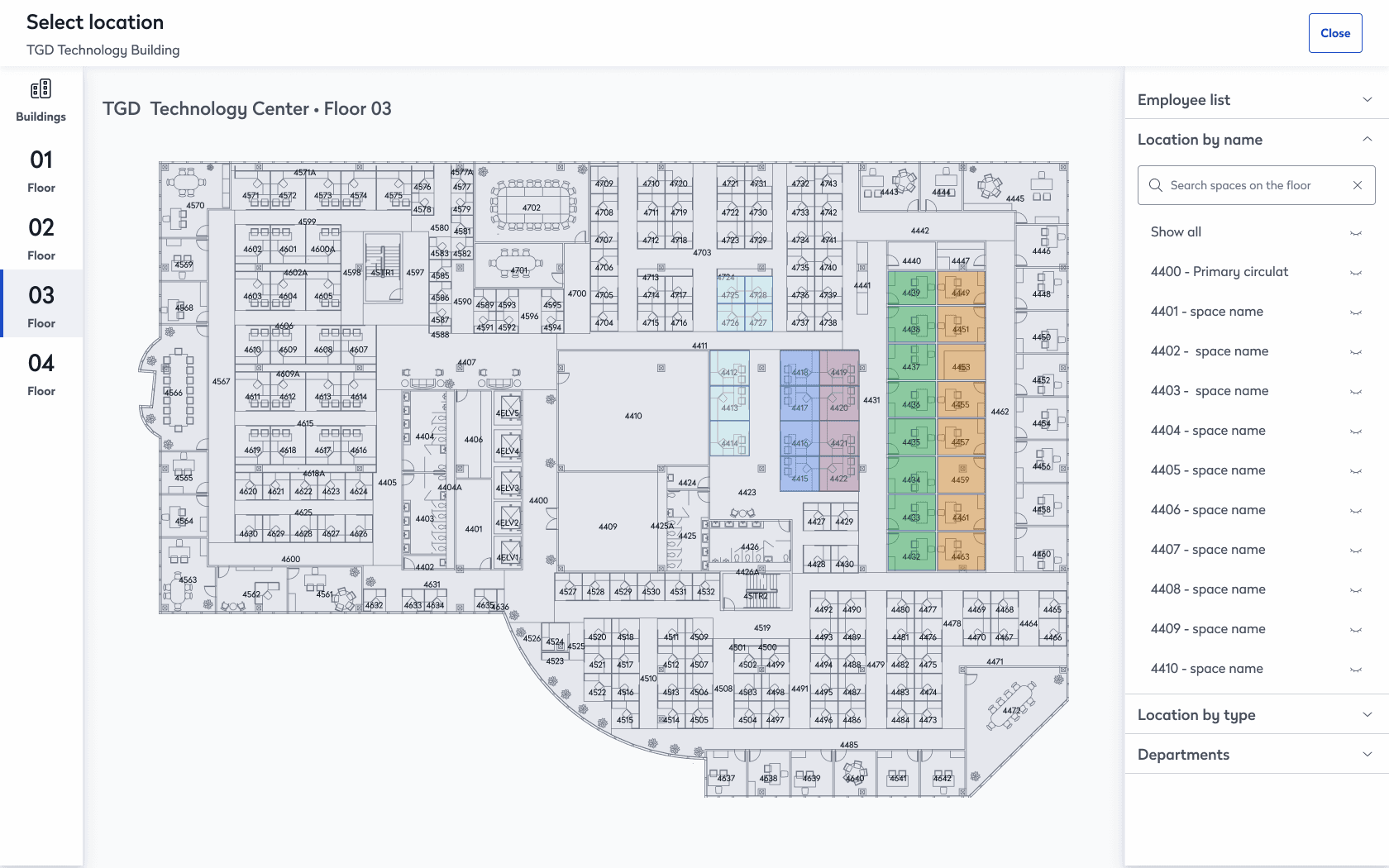
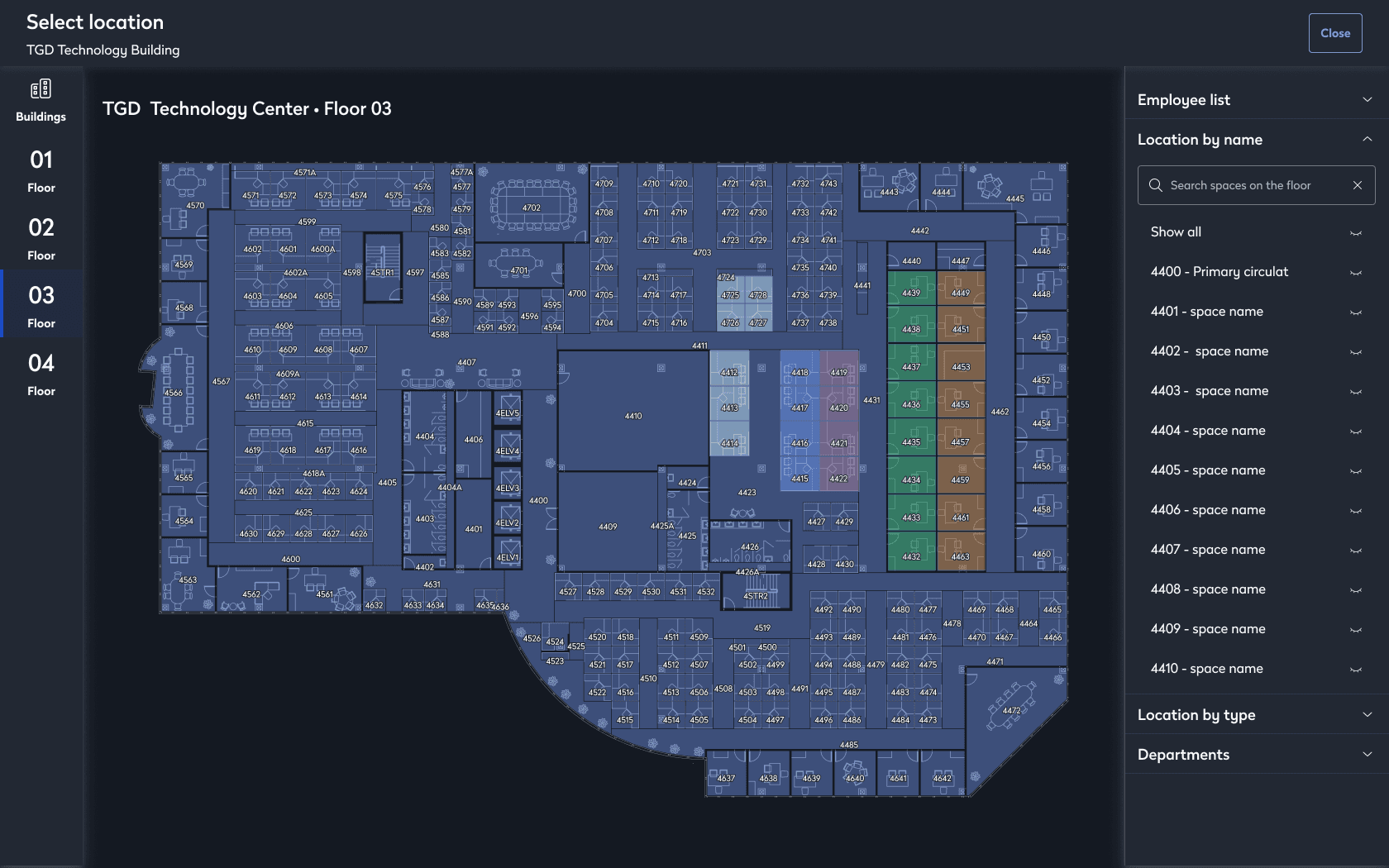
Search through thousands of building elements in the BIM Viewer
Filter spaces and assets by:
Level
Category
Family
Type
Filter Revit space and asset properties by:
Date range
Number range
Update timeframes
These changes turn search from a simple lookup into a dynamic way to explore your entire organization.
UX Strategy
Implemented a layered filtering system
Used progressive refinement to prevent users from feeling overwhelmed by too many filters
Made search results adapt to the user's context
Enabled users to save their search queries
Worked with engineering to improve indexing performance
Measurable Impact
38% ↘
reduction in time-to-find asset
52% ↗
increase in advanced filter usage
27% ↘
support tickets related to asset discovery
41% ↗
BIM Viewer session duration (higher engagement)
2. Lease Customization & Real Estate Intelligence
New Lease Customization Features
The Lease Portfolio Console in Web Central now includes several new improvements:
You can now create new custom lease fields
Custom fields can be added directly to the Lease Console
It's easier to map physical lease data to digital records
You can tailor the portfolio at a flexible, portfolio-wide level
With custom data fields, organizations can now capture:
Regulatory data
Regional contract requirements
Financial variations
Portfolio-specific KPIs
UX Strategy
Designed a modular interface for creating fields
Custom attributes are now grouped logically
All changes are backward compatible
Lease administrators will find the system easier to use
Measurable Impact
46% ↗
adoption of custom lease fields
31% ↘
manual lease data workarounds
22% ↗
reporting accuracy
(finance team feedback)
18% ↗
faster lease portfolio analysis
Improving Usability and Updating Our Brand
Consistent Brand Experience Throughout ARCHIBUS
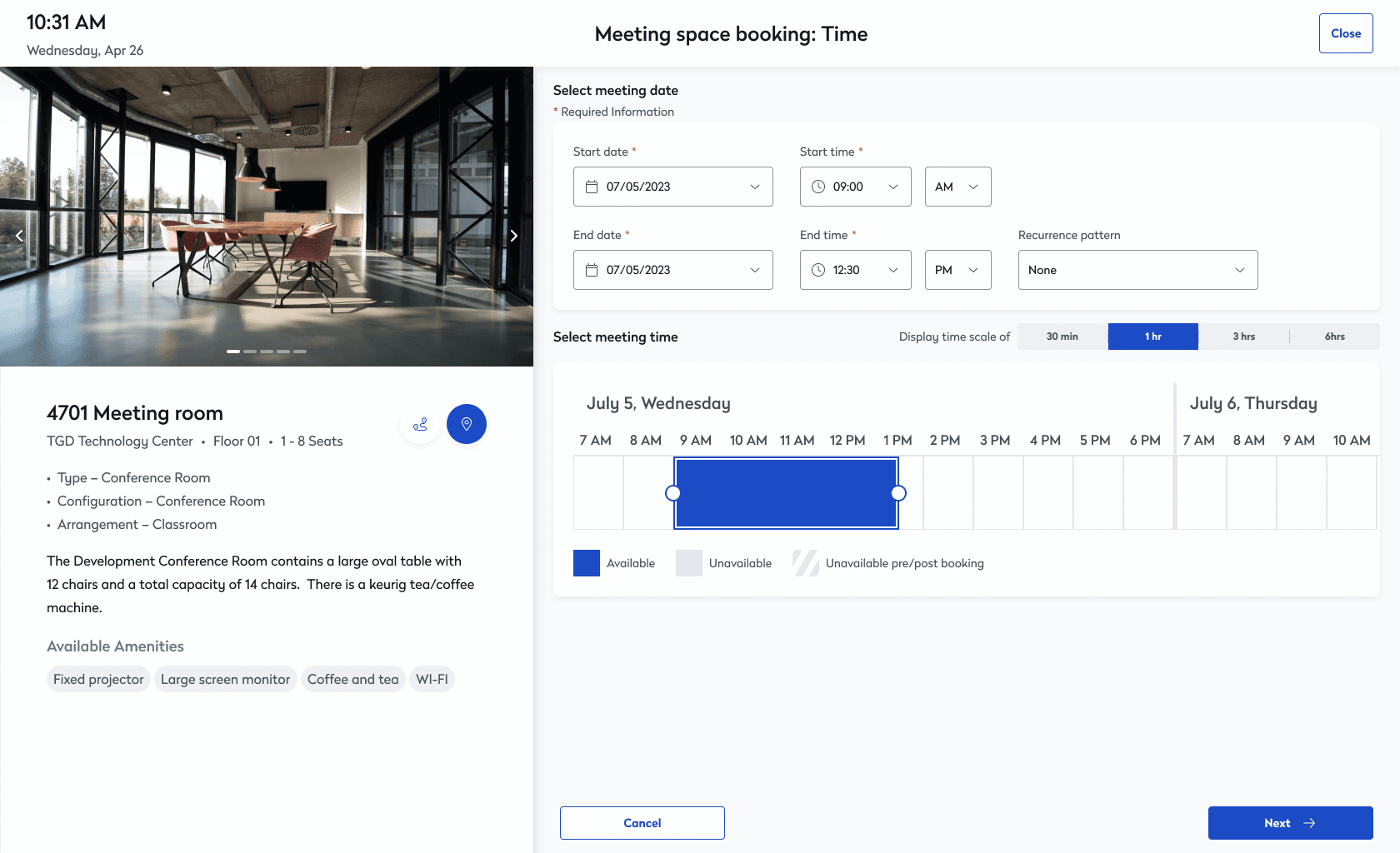
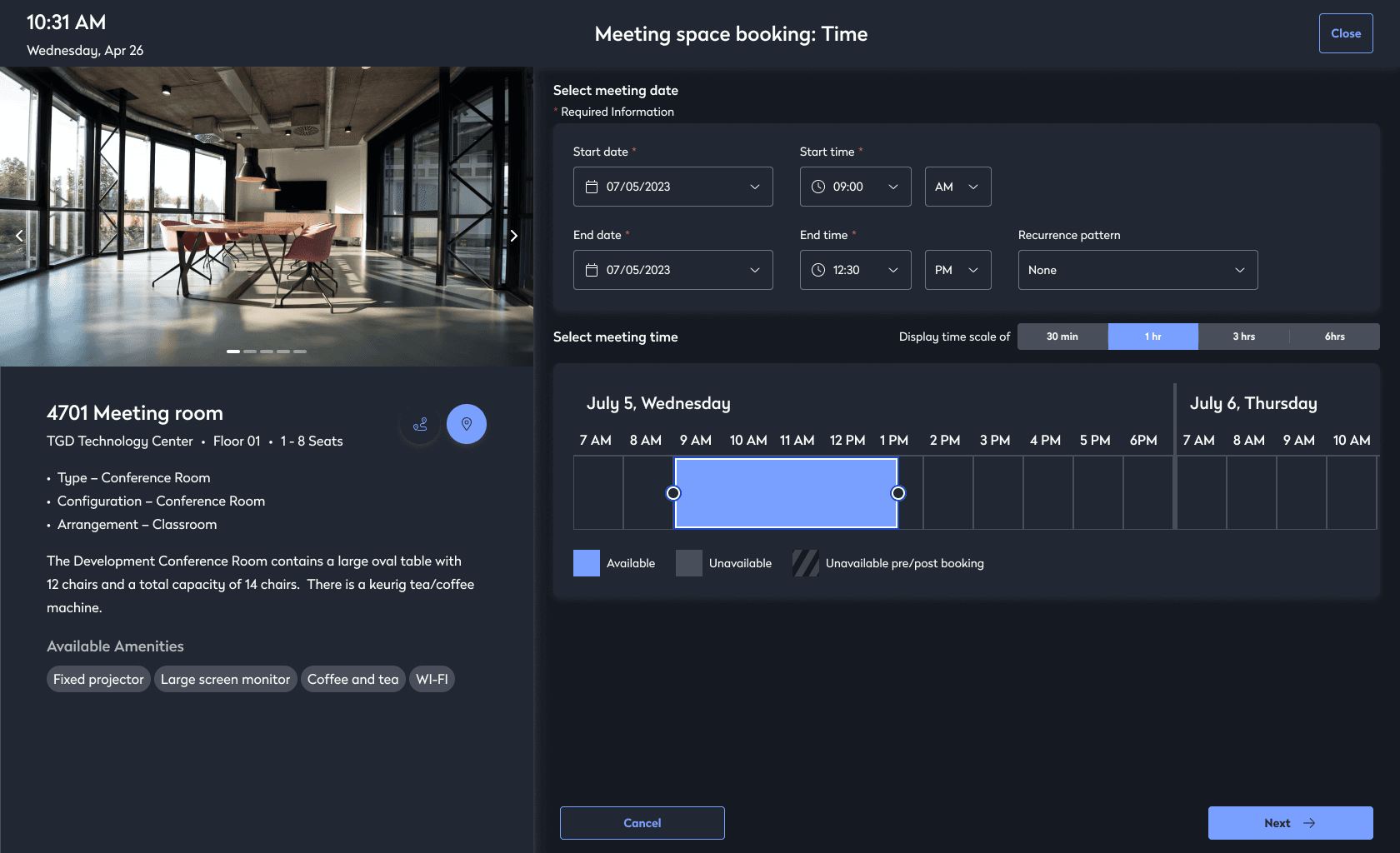
Eptura introduced a single visual and usability system for the entire platform.
These updates include:
Updated user interface components
Better color organization for easier navigation
Icons that are easier for everyone to understand
Contrast ratios that meet WCAG accessibility standards
Improved navigation using the keyboard
Support for alternative text on images
Cleaner screens with less clutter
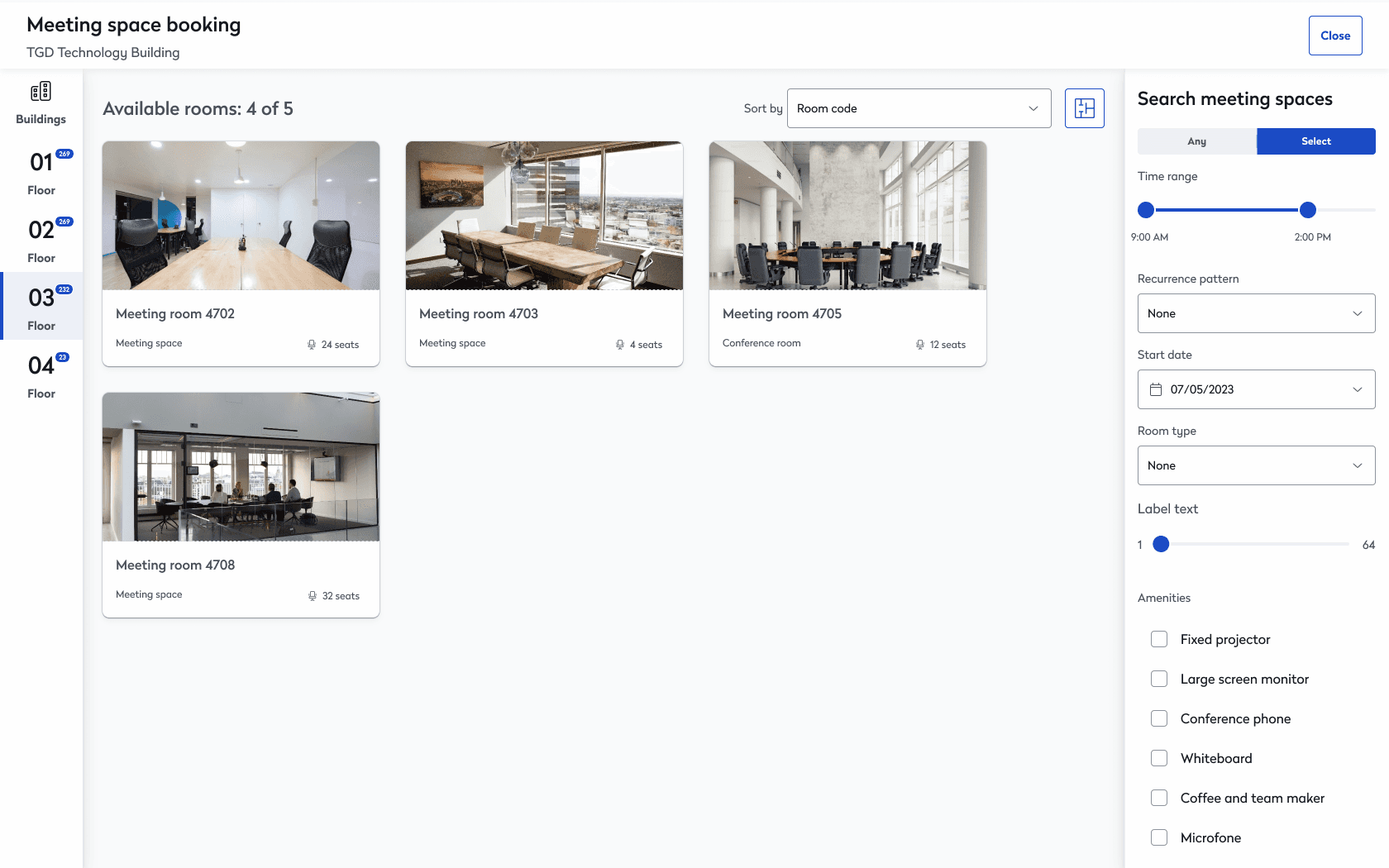
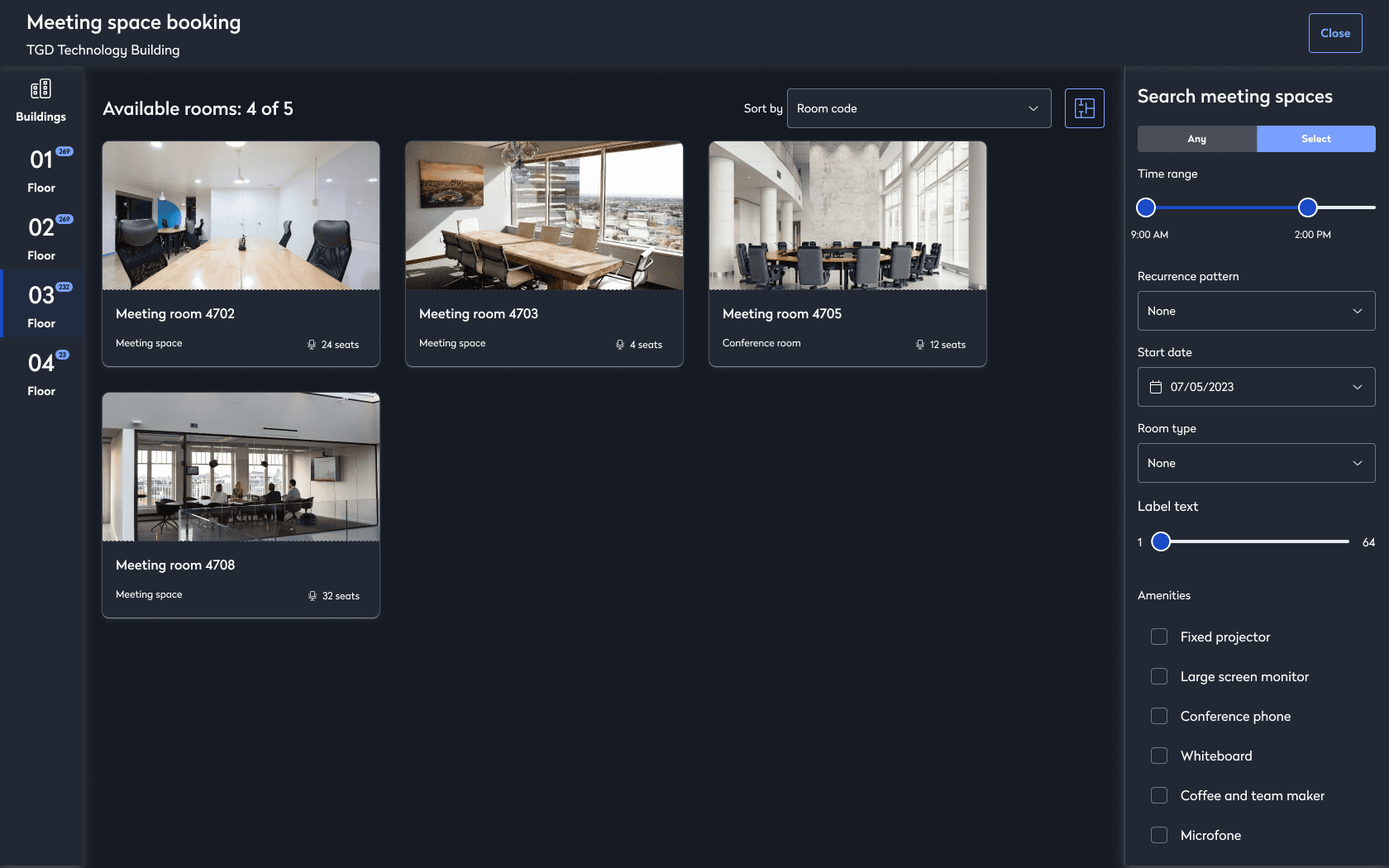
Design System Improvements
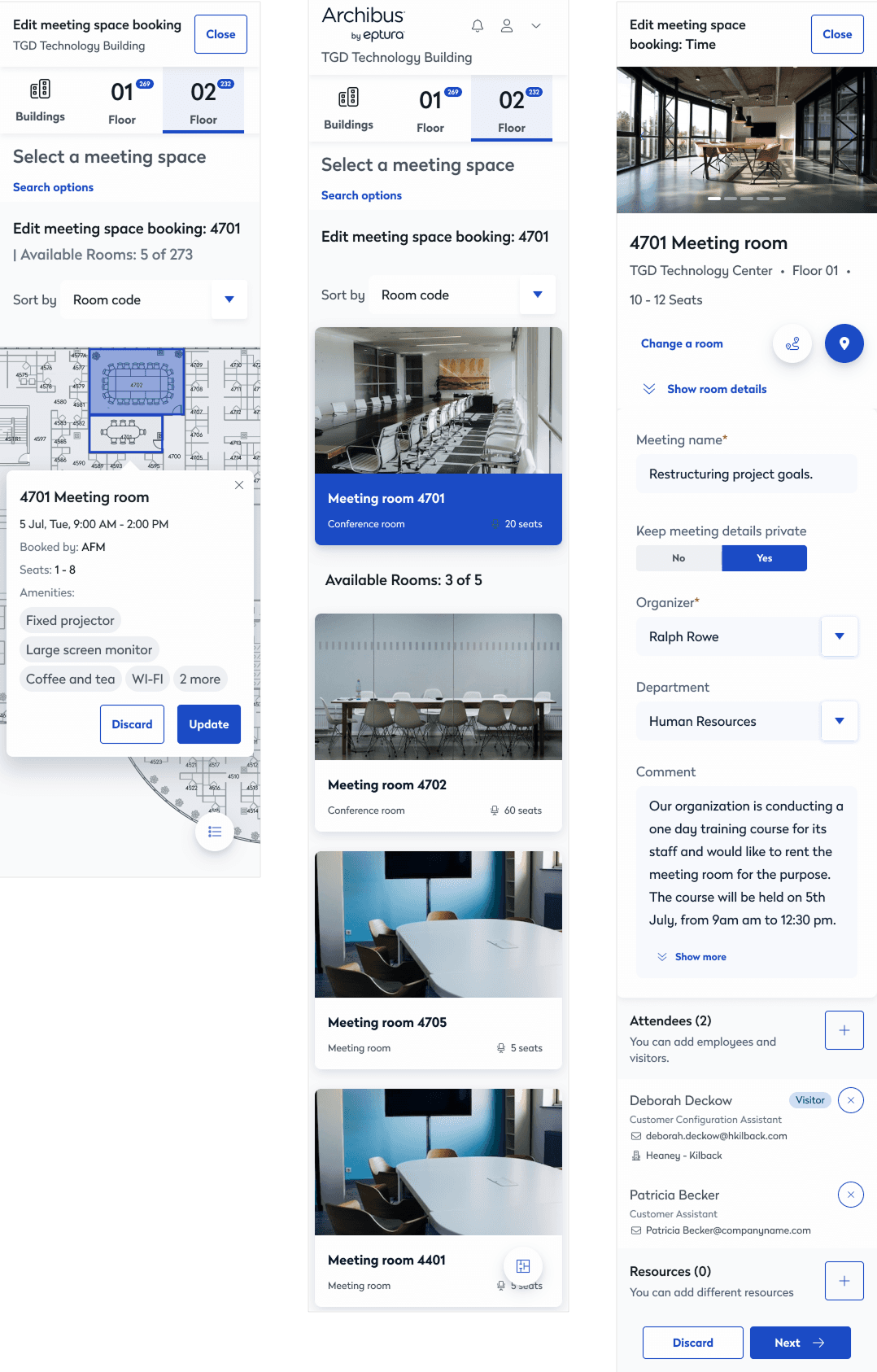
Forms now follow a consistent structure
Filters work the same way across the platform
Introduced a layout grid that adapts to different screen sizes
Added consistent dark mode support, optimized for kiosks
Removed extra outdated components to streamline the system
Measurable Impact
34% ↗
increase in self-service task completion
29% ↘
onboarding time for new FM users
24% ↗
mobile engagement
94%
Accessibility compliance from partial to WCAG-aligned
Workplace Experience Improvements
Approach to Platform Architecture
Business Impact Summary
Asset Search Efficiency
+38%
Advanced Filter Adoption
+52%
Authentication Issues
-63%
Self-Service Completion
+34%
FM Onboarding Time
-29%
Support Tickets
-27%
When working at scale, enterprise UX is less about how things look and more about the following:
Making operations run more smoothly
Helping people find insights in complex systems
Finding the right balance between powerful features and a simple design
Keeping systems secure without making the user experience worse
Creating solutions that work for thousands of buildings, not just a single site
ARCHIBUS Workplace started as a facilities database and has grown into a workplace intelligence platform.
It now brings together BIM, leases, assets, security, and employee experience into a single, connected system.